October 24, 2026
How to Calculate GST from Total Amount (Formula, ₹ Examples at 5%, 18% and 40%, and Excel)
 By Rohit GuptaUpdated 12 min read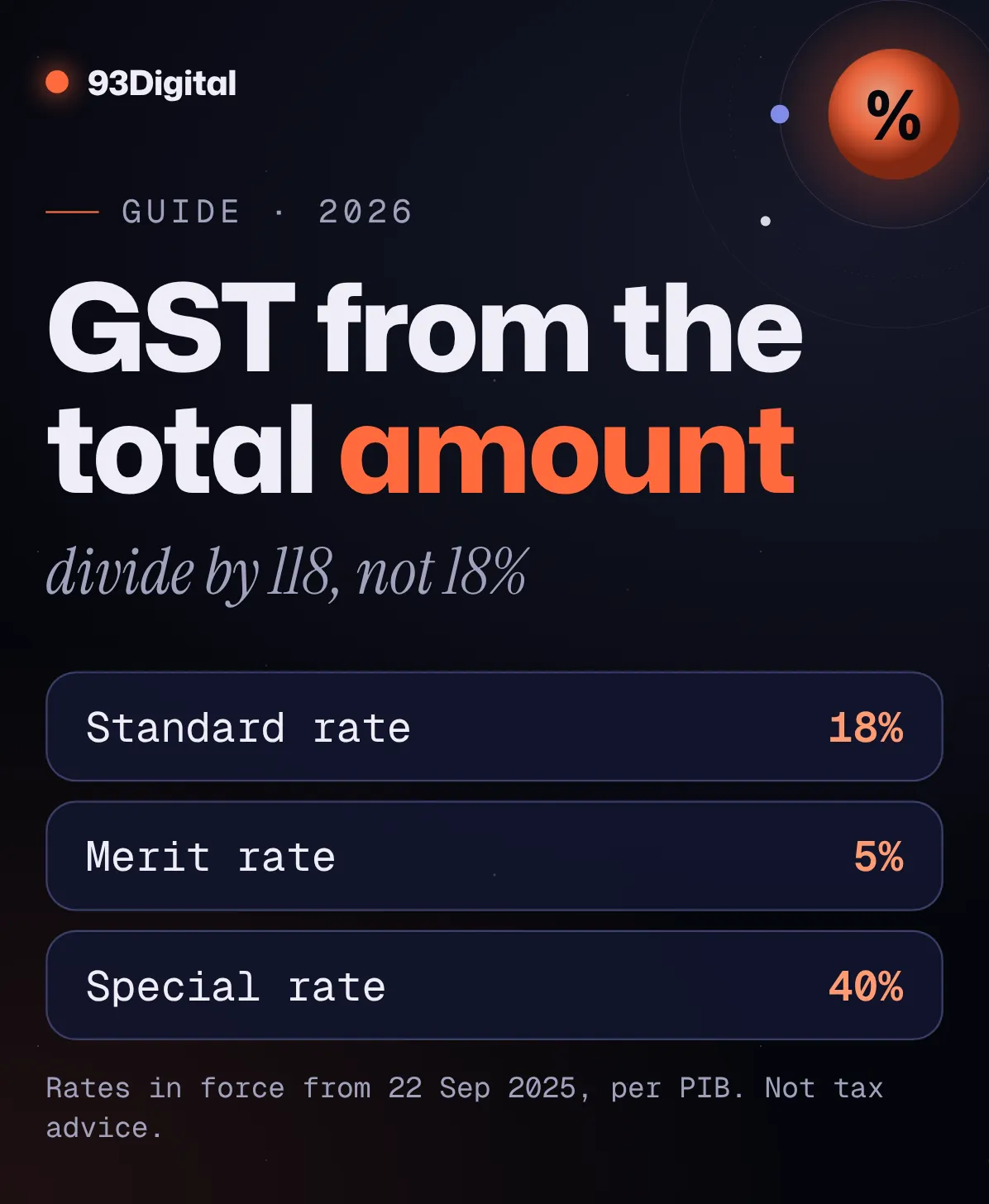
A customer pays you ₹11,800, GST included. Your accountant asks, “How much of that was GST?”
Most people reach for the calculator and do 18% of ₹11,800. That gives ₹2,124.
Wrong. The real answer is ₹1,800.
That ₹324 gap isn’t a rounding error. It comes from using the wrong formula, and it’s an easy one to make. In this guide you’ll learn how to calculate GST from the total amount the right way, in 30 seconds, with or without a calculator.
Quick answer: how do you calculate GST from the total amount?
To find the GST inside a GST-inclusive total, multiply the total by the rate and divide by (100 + rate): GST = Total × Rate ÷ (100 + Rate). The price before GST is Total × 100 ÷ (100 + Rate). For ₹11,800 at 18%: GST = 11,800 × 18 ÷ 118 = ₹1,800, and the base price is ₹10,000.
- 18% GST: GST = Total × 18 ÷ 118
- 5% GST: GST = Total × 5 ÷ 105
- 40% GST: GST = Total × 40 ÷ 140
- Adding GST instead: GST = Amount × Rate ÷ 100
- Same state: split GST half CGST, half SGST. Other state: charge it all as IGST.
Here’s the thing: GST maths only has two moves. Either you’re adding GST to a price, or you’re taking it out of a total. Once you know which one you’re doing, the formula picks itself.
In this guide I’ll walk you through:
- The reverse GST formula, and why you divide by 118 (not multiply by 18%)
- Worked ₹ examples at 5%, 18% and 40%
- Current GST rates, and CGST vs SGST vs IGST
- GST on MRP, plus Excel and Google Sheets formulas
This guide explains the maths. It isn’t tax advice. The right rate for your product depends on its HSN or SAC code, so check with your CA before you file.
How do you calculate GST from the total amount?
To calculate GST from a total that already includes tax, multiply the total by the GST rate, then divide by 100 plus the rate. At 18%, that’s Total × 18 ÷ 118. Subtract the GST from the total to get the price before GST.
That’s it. This is often called reverse GST calculation, or the GST inclusive formula. Here are the two formulas you need:
| You want | Formula | Example: ₹5,900 at 18% |
|---|---|---|
| GST amount inside the total | Total × Rate ÷ (100 + Rate) | 5,900 × 18 ÷ 118 = ₹900 |
| Price before GST (base price) | Total × 100 ÷ (100 + Rate) | 5,900 × 100 ÷ 118 = ₹5,000 |
Check: ₹5,000 + ₹900 = ₹5,900. If the parts add back up to the total, you got it right.
Why divide by 118 and not just take 18%?
Because the 18% was charged on the base price, not on the total.
If the base price is 100, GST adds 18, and the customer pays 118. So in any 18% GST-inclusive bill, GST is 18 parts out of 118. Never 18 out of 100.
GST is a slice of the price before tax, so you can’t find it by taking a percentage of the price after tax.
Same logic at every rate: 5 parts out of 105 at 5%, 40 out of 140 at 40%.
How do you calculate the GST amount at 5%, 18% and 40%?
To calculate the GST amount, first decide whether your number includes GST. If it doesn’t, multiply by the rate ÷ 100. If it does, multiply by rate ÷ (100 + rate). Here’s how that works at the three main rates.
| Rate | Add GST (price before tax) | Remove GST (total incl. tax) |
|---|---|---|
| 5% | ₹2,000 × 5 ÷ 100 = ₹100 GST → total ₹2,100 | ₹2,100 × 5 ÷ 105 = ₹100 GST → base ₹2,000 |
| 18% | ₹10,000 × 18 ÷ 100 = ₹1,800 GST → total ₹11,800 | ₹11,800 × 18 ÷ 118 = ₹1,800 GST → base ₹10,000 |
| 40% | ₹1,000 × 40 ÷ 100 = ₹400 GST → total ₹1,400 | ₹1,400 × 40 ÷ 140 = ₹400 GST → base ₹1,000 |
Round numbers chosen so you can check them in your head. Real totals rarely come out this neat.
Now a messier one. Say you run a coaching centre in Indore and a parent pays ₹5,000, GST included at 18%.
- GST: 5,000 × 18 ÷ 118 = ₹762.71
- Fee before GST: 5,000 × 100 ÷ 118 = ₹4,237.29
- Check: 4,237.29 + 762.71 = ₹5,000, which matches the total
How do you add GST to a price?
This is the easy direction. Quoting a client ₹25,000 plus 18% GST?
- GST = 25,000 × 18 ÷ 100 = ₹4,500
- Total = 25,000 + 4,500 = ₹29,500
Shortcut: multiply by 1.18 in one go. 25,000 × 1.18 = ₹29,500. (For 5%, use 1.05. For 40%, 1.40. To go backwards, divide by the same number.)
What are the GST rates in India in 2026?
Since 22 September 2025, GST in India mainly uses two rates: a standard rate of 18% and a merit rate of 5%. A special de-merit rate of 40% applies to a select few goods and services, and some items stay at nil or special rates.
This came from the 56th GST Council meeting. The government’s press release says the old four-tier structure was rationalised into “a 2 rate structure with a Standard Rate of 18% and a Merit Rate of 5%”, plus “a special de-merit rate of 40% for a select few goods and services.”
So what does that mean for you? Many items you used to bill at 12% moved to 5%, and many 28% items moved to 18%.
| Rate | Examples from official announcements | Same-state split |
|---|---|---|
| 5% (merit rate) | Hair oil, toilet soap bars, shampoo, toothpaste, butter, ghee, packaged namkeen; salon and gym services; hotel rooms up to ₹7,500 per day | CGST 2.5% + SGST 2.5% |
| 18% (standard rate) | Cement, air conditioners, small cars (all cut from 28%); most other goods and services | CGST 9% + SGST 9% |
| 40% (special rate) | Pan masala, cigarettes, sweetened or caffeinated drinks, bigger cars, motorcycles above 350cc, betting and online money gaming | CGST 20% + SGST 20% |
| 3% | Gold and silver jewellery, pearls | CGST 1.5% + SGST 1.5% |
| 0.25% | Precious stones and diamonds | CGST 0.125% + SGST 0.125% |
| Nil | For example, 33 lifesaving drugs and medicines cut from 12% to nil | None |
Rates as announced by PIB for the 56th GST Council (3 September 2025) and notified by CBIC on 17 September 2025, effective 22 September 2025. Checked October 2026. Always confirm your item’s rate by its HSN or SAC code.
Two notes. PIB said tobacco items like pan masala and cigarettes would stay at their existing rates until a later date. And 12% and 28% still matter for old bills: for an invoice dated before 22 September 2025, use the rate that applied then.
How is GST split into CGST, SGST and IGST?
If you sell within your own state, GST is split equally into CGST (for the Centre) and SGST (for the state). If you sell to another state, the full GST is charged as IGST. The total tax is the same either way.
CBIC’s GST Concept & Status document puts it simply: CGST and SGST (or UTGST in union territories) are “levied on all taxable intra-State supplies”, while inter-State supplies attract IGST, which is CGST plus SGST.
Using our ₹11,800 bill at 18%:
| Where’s the customer? | Tax on the invoice | Amount |
|---|---|---|
| Same state as you | CGST 9% + SGST 9% | ₹900 + ₹900 |
| Different state | IGST 18% | ₹1,800 |
You’ve probably seen this on your own bills. Google Ads Help says advertisers with a bill-to address in Haryana pay CGST 9% + SGST 9%, while advertisers everywhere else in India pay IGST at 18%. Same 18%, different split. (More on that in our guide to Google Ads cost in India.)
Strictly speaking, the law looks at the supplier’s location and the place of supply, which has its own rules for services. For most simple shop and service bills, “same state or not?” gets you the right answer. For tricky cases, ask your CA.
How do you calculate GST on MRP?
MRP in India already includes all taxes, so you never add GST on top of it. To find the GST inside an MRP, use the reverse formula: MRP × Rate ÷ (100 + Rate). The rest is the price before GST.
Under the Legal Metrology (Packaged Commodities) Rules, 2011, the retail sale price is “the maximum price at which the commodity in packaged form may be sold to the consumer”, and it’s printed in a format like “MRP Rs … incl. of all taxes.”
Here’s how to back out GST from MRP:
- Shampoo, MRP ₹210, 5% GST: 210 × 5 ÷ 105 = ₹10 GST. Price before GST = ₹200.
- Air conditioner, MRP ₹35,400, 18% GST: 35,400 × 18 ÷ 118 = ₹5,400 GST. Price before GST = ₹30,000.
- A sweetened drink, MRP ₹70, 40% GST: 70 × 40 ÷ 140 = ₹20 GST. Price before GST = ₹50.
But wait. What if you sell below MRP?
Then calculate GST on what the customer actually pays. Section 15 of the CGST Act says the taxable value is the “transaction value”, the price actually paid or payable, and a discount recorded on the invoice at the time of sale is left out of that value. So if that ₹210 shampoo sells for ₹190, the GST inside it is 190 × 5 ÷ 105 = ₹9.05.
How do you calculate GST in Excel or Google Sheets?
In Excel or Google Sheets, put the amount in column A and the GST rate (as a plain number like 18) in column B. Then use =A2*B2/(100+B2) to pull GST out of a total, or =A2*B2/100 to add GST to a price.
Copy them down the column to process a whole month of bills at once.
| What you want | Formula (rate typed as 18 in B2) | Fixed 18% version |
|---|---|---|
| GST from a total (inclusive) | =A2*B2/(100+B2) | =A2*18/118 |
| Price before GST from a total | =A2*100/(100+B2) | =A2/1.18 |
| GST to add on a price | =A2*B2/100 | =A2*0.18 |
| Total after adding GST | =A2*(1+B2/100) | =A2*1.18 |
| CGST or SGST (each half) | =A2*B2/(100+B2)/2 | =A2*9/118 |
| GST from a total, rounded to paise | =ROUND(A2*B2/(100+B2),2) | =ROUND(A2*18/118,2) |
For 5%, swap 18/118 for 5/105 and 1.18 for 1.05. For 40%, use 40/140 and 1.40.
One trap: if you type the rate as 18% (with the percent sign), the spreadsheet stores it as 0.18. Then the formula becomes =A2*B2/(1+B2). Pick one style and stick to it.
A quick note on rounding
Reverse GST often gives you long decimals, like ₹762.7118… Microsoft’s ROUND function (=ROUND(number, 2)) trims it to two decimal places, which is paise.
For the tax you actually pay, Section 170 of the CGST Act says tax and other sums payable are rounded to the nearest rupee: 50 paise or more goes up to ₹1, less than 50 paise is ignored. How your billing software rounds each invoice line is a question for your CA.
How to use our free GST calculator (step by step)
Our free GST calculator does both directions, adding and removing GST, and shows the CGST/SGST or IGST split for you. Here’s how to use it.

- Pick the direction. Tap “Add GST” if your amount is before tax (like a quote). Tap “Remove GST” if your amount already includes tax (like an MRP or a paid bill).
- Type your number in “Amount (₹)”. For example, 11800.
- Choose the rate. Tap “5%”, “18%” or “40%” for the main slabs, or “3%” and “0.25%” for the special rates. For an old invoice, use “12% (old)” or “28% (old)”. Anything else? Tap “Custom” and enter it in “Custom rate (%)”.
- Choose “Same state” or “Other state”. Same state shows CGST + SGST. Other state shows IGST.
- Read your results. You’ll see the price before GST, the GST amount and the total, plus the tax split.
- Tap “Copy breakdown” and paste it into your WhatsApp message, email or quote.
What it won’t do: tell you which rate your product falls under. That depends on its HSN or SAC code. The calculator does the maths for whatever rate you pick.
What are the most common GST calculation mistakes?
The most common GST mistake is taking 18% of a GST-inclusive total instead of multiplying by 18/118. It overstates the tax and understates your real price. Here are the others to watch for.
- Taking 18% of the total. On ₹5,000, 18% is ₹900. The real GST is ₹762.71. You’d overstate tax by ₹137.29 and think your fee was only ₹4,100.
- Subtracting 18% to “remove” GST. ₹11,800 minus 18% is ₹9,676, not ₹10,000. Always divide by 1.18.
- Adding GST on top of MRP. MRP already includes all taxes.
- Using an old rate. Many items moved from 12% to 5%, or from 28% to 18%, on 22 September 2025.
- Splitting IGST into CGST + SGST (or the other way round). Same state means CGST + SGST. Different state means IGST.
- Mixing GST into marketing numbers. If your sales figures include GST but your ad costs don’t, your ROAS will look better than it is.
That last one matters if you run ads. Strip GST out of revenue first, then plug the net figure into our ROAS calculator. (New to the term? Here’s what ROAS means and how to read it.)
The same goes for budgets: agency fees usually carry 18% GST on top, as our guide to SEO cost in India explains. Planning ad spend with tax built in from day one is part of how we run Google and Meta ad campaigns.
How to calculate GST from total amount: frequently asked questions
How do you calculate GST from the total amount?
Multiply the total by the GST rate and divide by 100 plus the rate. At 18%, that’s Total × 18 ÷ 118. For ₹11,800, the GST is ₹1,800 and the price before GST is ₹10,000.
How do you calculate the GST amount on a price?
If the price doesn’t include GST, multiply it by the rate and divide by 100. For ₹10,000 at 18%, GST is ₹1,800 and the total is ₹11,800. If the price already includes GST, use the reverse formula instead.
What is the GST inclusive formula?
GST amount = Inclusive price × Rate ÷ (100 + Rate), and price before GST = Inclusive price × 100 ÷ (100 + Rate). These two formulas are also called reverse GST calculation, because you work backwards from the total.
How do you calculate GST on MRP?
MRP already includes all taxes, so don’t add GST to it. Use MRP × Rate ÷ (100 + Rate) to find the GST inside it. A ₹210 product at 5% contains ₹10 GST and a ₹200 base price. If you sell below MRP, use the actual selling price.
How do you calculate GST in Excel?
Put the amount in A2 and the rate (as 18) in B2. Use =A2*B2/(100+B2) to find GST in a total, =A2*100/(100+B2) for the price before GST, and =A2*B2/100 to add GST. Wrap any formula in ROUND(…,2) to round to paise.
What are the current GST slabs in India?
Since 22 September 2025, the main rates are 5% (merit rate) and 18% (standard rate), with a special 40% rate for a select few goods and services. Special rates of 3% and 0.25% apply to items like jewellery and precious stones, and some items are nil-rated.
Sources and how we researched this
We researched this guide in October 2026. We checked the GST rate structure and effective date against PIB’s releases on the 56th GST Council, cross-checked the CGST schedules notified by CBIC, and read the CBIC, Legal Metrology and CGST Act texts on tax splits, MRP and valuation. Every worked example was re-checked by hand. This is a guide to the maths, not tax advice.
- PIB: Recommendations of the 56th GST Council (5% and 18% rate structure, 40% special rate, 22 September 2025 effective date, item examples)
- GST Council / PIB: FAQs on the decisions of the 56th GST Council (effective date, 40% items, tobacco timing)
- TaxHeal: Notification No. 9/2025-Central Tax (Rate) (CGST schedules of 2.5%, 9%, 20%, 1.5% and 0.125%, dated 17 September 2025)
- SCC Online: New GST rates notified w.e.f. 22 September (3% on jewellery, 0.25% on precious stones and diamonds)
- CBIC: GST Concept & Status (CGST + SGST on intra-State supplies, IGST on inter-State supplies)
- Google Ads Help: Taxes in your country (real example of CGST + SGST vs IGST on ad invoices)
- Legal Metrology (Packaged Commodities) Rules, 2011 (retail sale price definition, “inclusive of all taxes”)
- CBIC: CGST Act, 2017 (as amended) (Section 15, transaction value and discounts)
- Know Your GST: Section 170, CGST Act (rounding tax payable to the nearest rupee)
- Microsoft Support: ROUND function (spreadsheet rounding syntax)
Spotted a rate that’s changed? Tell us and we’ll update this guide.
The bottom line
Calculating GST from a total amount comes down to one rule: divide by (100 + rate), never take a plain percentage of the total.
At 18%, that’s × 18 ÷ 118. At 5%, × 5 ÷ 105. At 40%, × 40 ÷ 140. Split it half-and-half for a same-state sale, or charge it all as IGST for another state.
Want to skip the maths? Use our free GST calculator and copy the breakdown in one tap. And remember: this is a maths guide, not tax advice, so confirm rates and filings with your CA.
Running a business that needs more customers, not just cleaner invoices? Get a free growth audit and we’ll show you where your next leads can come from.
Founder of 93Digital. Rohit has worked in SEO and digital marketing since 2007, through every major Google update, and runs paid ads with one rule: a campaign has to pay for itself.