October 21, 2026
UPI QR Code: How to Create One for Your Shop (With or Without a Fixed Amount)
 By Rohit GuptaUpdated 16 min read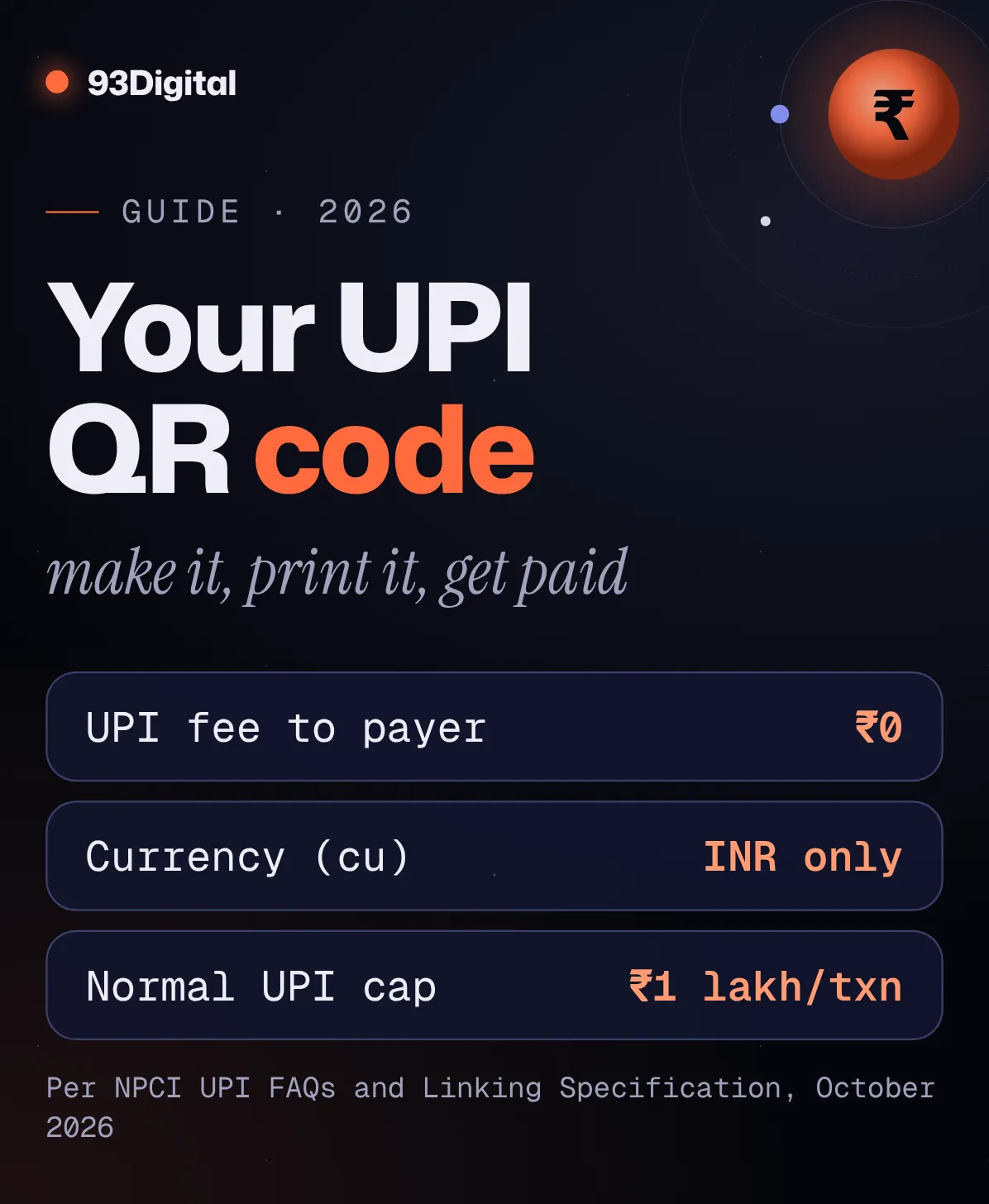
A customer is at your counter with the phone already out. “UPI chalega?” Of course it does. But then you’re reading your UPI ID out loud, letter by letter, while the queue grows behind her.
There’s a faster way.
A UPI QR code puts your payment details in one small square. The customer scans, sees your name, enters the amount and their PIN, and you’re paid.
You can get one free from your UPI app, or make your own in about two minutes. Let’s do both.
Quick answer: how do I create a UPI QR code?
Open your UPI app and look for your QR code on your profile, or enter your UPI ID and name into a free UPI QR code generator and download the image. Add an amount only if every payment through that code is for the same bill. Then test it with a small payment before you print it.
- From your app: in Google Pay, for example, tap your profile picture, then tap it again to see your personal QR code.
- With our free tool: pick UPI, enter your UPI ID and payee name, add an optional amount and note, and download a PNG or SVG.
- Static vs dynamic: a static code works for any amount, forever; a dynamic code is made for one bill with the amount filled in.
- Safety rule: nobody ever needs to scan a QR code or enter a UPI PIN to receive money.
Open the free UPI QR code generator
Here’s the thing: making a UPI QR code is the easy part. What matters is putting the right details in it, choosing the right type for how you get paid, and testing it before it goes on your counter.
In this guide I’ll walk you through:
- What a UPI QR code is, and static vs dynamic codes
- How to find your UPI ID and the official QR code in your app
- How to make a UPI QR code with an amount, step by step
- The upi://pay link format behind every code (if you’d rather do it by hand)
- Personal vs merchant QR codes, printing tips, and scam safety
What is a UPI QR code?
A UPI QR code is a scannable square that stores your UPI payment details, mainly your UPI ID and name. When someone scans it with any UPI app, the app opens a payment screen addressed to you, so they don’t have to type your UPI ID.
SBI puts it simply on its YONO blog: “A QR code is simply a machine-readable version of someone’s UPI ID.”
Your UPI ID (also called a VPA, or virtual payment address) looks like yourname@bankhandle and is linked to your bank account. The QR code packs that address, plus an optional amount and note, into an image. And since NPCI’s FAQs say customers can use “Scan and Pay on all UPI interoperable QR codes,” a code from one app works with the others.
What’s the difference between a static and a dynamic UPI QR code?
A static UPI QR code stays the same for every payment and the customer types the amount. A dynamic UPI QR code is created for one transaction, usually with the amount already filled in. Static suits a shop counter; dynamic suits a specific bill or invoice.
SBI describes the difference like this: a static QR is “the printed sticker taped near a shop counter, where you type the amount yourself,” while a dynamic QR “is generated fresh for one transaction, often with the amount already filled in.”
| Static UPI QR | Dynamic / fixed-amount UPI QR | |
|---|---|---|
| Amount | Customer enters it | Already filled in |
| Used for | Many payments, any amount | One bill, order or invoice |
| Best place | Counter standee, door sticker, visiting card | Invoice PDF, WhatsApp bill, billing screen |
| Reprint needed? | Only if your UPI ID or name changes | A new code for each different amount |
Definitions based on SBI’s YONO blog and PhonePe Business, October 2026.
So which do you need? Most small shops need one static code at the counter, plus fixed-amount codes when they send bills.
How do you find your UPI ID and official QR code in your UPI app?
Your UPI ID and personal QR code are usually in your UPI app’s profile section. In Google Pay, tap your profile picture at the top right, then tap it again to see your personal QR code. Your UPI ID is under Bank account → Manage UPI IDs.
To see your QR code in Google Pay
- Open Google Pay and tap your profile picture at the top right.
- Tap your profile picture icon again to find your personal QR code.
- Show it to the sender. Google says they “can scan the QR code through any UPI app to send you money.”
To find your UPI ID in Google Pay
- Open Google Pay and tap your photo at the top right.
- Tap Bank account, then the account whose UPI ID you want.
- Select Manage UPI IDs. Your UPI ID appears under your bank account details at the top.
Using PhonePe, Paytm, BHIM or your bank’s own app? The idea is the same: open your profile and look for your QR code or UPI ID. Menus change with app updates, so check the app’s own help section if you can’t find it.
So why make your own? For a clean print file (SVG), a fixed-amount code for an invoice, or many codes at once.
How to use our free UPI QR code generator (step by step)
Our free generator turns your UPI ID, name and an optional amount into a UPI QR code you can download as a PNG or SVG. No sign-up, and the codes never expire because your details are stored inside the code itself.

- Open the tool and choose the UPI type. Stay on the Single QR tab. From the types (Link | UPI | Wi-Fi | Text | Phone | Email), tap UPI.
- Enter your UPI ID. Copy it exactly from your UPI app, for example
yourshop@okbank. One wrong letter sends customers to the wrong place (or nowhere). - Enter the Payee name. Use the name you want customers to see, ideally matching your bank account or shop name. NPCI’s linking spec treats the payee name as a required field, so don’t leave it blank.
- Add “Amount ₹” only if you want a fixed amount. It’s optional. Leave it empty for a counter code so customers enter the amount. Fill it in for a specific bill.
- Add a Note (optional). Something short like “Invoice 1023” or “Table 4”. It helps you match payments later.
- Pick colours and error correction. Code colour and Background can be changed, but keep the code dark and the background light. Under Error correction, choose Medium (recommended) for screens, or High (for print, logos, damage) for anything you’ll stick on a counter.
- Download. The download size is 1024px. Click Download PNG for WhatsApp, invoices and Canva, or Download SVG for sharp printing on standees and banners.
- Test it before you share it. More on that below.
Open the free UPI QR code generator
Need many UPI QR codes at once?
Use the Bulk (ZIP) tab. In the box labelled One QR code per line, paste links, text or upi:// payment links, one per line. Add an optional file name after a “|”, like this:
upi://pay?pa=yourshop@okbank&pn=Sharma%20Stores&am=499.00&cu=INR | invoice-1023
You get up to 500 codes in one ZIP file, handy for a batch of invoices. (The next section explains these links.)
What the tool can’t do: it doesn’t confirm payments, send alerts, or make a registered merchant QR. It only encodes what you type. Payment alerts come from your bank or UPI app.
How to make a UPI QR code without any tool: the upi://pay link format
Every UPI QR code holds a text link that starts with upi://pay? followed by fields like pa (your UPI ID), pn (your name), am (amount) and cu=INR. These come from NPCI’s UPI Linking Specification, which defines the URL that UPI apps read when you scan or tap.
The fields a shop or freelancer needs:
| Field | What it means | Example |
|---|---|---|
pa | Payee’s UPI ID (virtual payment address). Required. | pa=yourshop@okbank |
pn | Payee’s name. Required. Use %20 for spaces. | pn=Sharma%20Stores |
am | Amount in decimal format. Optional for a static code. | am=499.00 |
cu | Currency. NPCI says “INR” is the only supported value. | cu=INR |
tn | Transaction note, a short description. | tn=Invoice%201023 |
From NPCI’s UPI Linking Specifications, version 1.6 (see sources). The spec also defines merchant fields such as a merchant code (mc) and transaction reference (tr), used by registered merchants and payment gateways.
Put together, a ₹499 invoice code looks like this (drop am and tn for a counter code):
upi://pay?pa=yourshop@okbank&pn=Sharma%20Stores&am=499.00&tn=Invoice%201023&cu=INR
Paste that into any QR generator’s text field (or our Bulk tab) and you have a working UPI QR code. That’s all a UPI QR generator does behind the scenes.
How do you create a UPI QR code with a fixed amount?
To create a UPI QR code with an amount, add the amount field (am) to the payment link, or fill in “Amount ₹” in our generator. The customer’s app then opens with that amount already entered. Use it for one specific bill, not your counter code.
Per NPCI’s spec, if am is missing the amount is editable; if it’s set (with no separate minimum-amount field), the amount “should NOT be editable.” Check it in the apps your customers use.
Say you run a coaching centre in Indore and the monthly fee is ₹3,500. You could:
- Make one fixed-amount code with the note “Fees October” and add it to every fee reminder
- Or make one code per student with their name in the note, using the Bulk (ZIP) tab, so you can match payments easily
Sending bills on WhatsApp? Add your UPI ID as text next to the QR image. A customer viewing the code on their own phone has to save it and pick it from their gallery to pay, so give them the easy option too. Automating those reminders is what our email and WhatsApp automation team sets up.
One limit to know: NPCI’s FAQs say “for normal UPI the transaction limit is up to Rs 1 Lakh per transaction,” with higher limits only for certain categories. Banks can set lower limits.
Can you use a personal UPI QR code for your shop or business?
You can accept small business payments on a personal UPI ID, but apps and banks set limits and rules for it. Google Pay, for example, says you can receive up to ₹50,000 a month this way with no fees. For regular business volume, a merchant (business) QR from a UPI business app is the better choice.
Google Pay’s India help page on accepting business payments in the regular app says “You will need to use an individual current account,” that you can receive “up to Rs. 50,000 per month with UPI with no fees,” and that “beyond that, your bank might charge fees or add more requirements.”
A merchant QR is the business route. Google Pay for Business, for example, asks for your business details, a merchant category code and a UPI ID. Once approved, Google says an agent can deliver a printed QR standee, or you can request a QR kit in the app. Other apps, banks and gateways run their own onboarding.
| Personal UPI QR | Merchant UPI QR | |
|---|---|---|
| How you get it | Your normal UPI app, or a generator | A UPI business app, your bank, or a payment gateway |
| Best for | Freelancers, home businesses, low volume | Shops, clinics, restaurants, regular sales |
| Limits | Set by NPCI, your bank and your app (e.g. Google Pay’s ₹50,000/month fee-free note) | Set by your provider’s merchant terms |
| Extras | Payment alerts from your app or bank | Business features from your provider, e.g. a printed QR standee or QR kit with Google Pay for Business |
Based on Google Pay India and Google Pay for Business help pages, October 2026. Check your own bank and app terms.
Do merchants pay fees on UPI QR payments?
NPCI’s FAQs say there are no charges for customers paying from a bank account, and none for merchants accepting UPI payments from a customer’s bank account. Charges can apply if a merchant accepts payments made from a prepaid wallet (PPI).
But watch this space. On 14 September 2026, the government notified that no bank or payment provider may charge for UPI and RuPay debit card payments up to ₹2,000. Reports said it had not specified whether charges would apply above ₹2,000, and that an NPCI-headed steering committee would decide any merchant discount rate (MDR). As of those reports, no rates had been announced.
How should you print a UPI QR code for your shop?
Print a UPI QR code dark on a light background, with a clear white border around it, at a size customers can scan from where they stand. Use the SVG file for print, choose High error correction, and test the printed copy before you stick it up.
- Keep the quiet zone. The QR standard needs a margin of four modules (the small squares) around the code. Our download already includes one, so don’t crop it.
- Choose High error correction for print. QR codes can still be read when part of them is damaged: about 7% at Low, 15% at Medium, 25% at Quartile and 30% at High. A counter sticker gets scratched and splashed; High buys you room.
- Go big enough. For a counter card, print the code at least about 3 × 3 cm. A code on a wall or banner that people scan from a distance needs to be much bigger.
- Print your name and UPI ID under the code. Customers can check it matches what their app shows, and type it if their camera fails.
- Avoid glossy or curved surfaces unless you’ve tested them. Glare can stop a scan.
Review QR on the counter too? Label each one (“Pay here”, “Review us”). See our Google reviews QR code guide, or make one with the Google review link generator.
How do you test a UPI QR code before printing?
Scan the code with two or three different UPI apps, check that the payee name on screen is yours, and make one small real payment to confirm the money lands in the right account. Then test the printed copy again from where customers will stand.
- Scan it on screen with two or three UPI apps on another phone.
- Check the name. The payee name your bank shows should match your business or account name.
- Check the amount. For a fixed-amount code, confirm the right amount appears.
- Send a small payment and confirm it arrives in your own bank or app.
- Print one copy first, stick it where it will live, and scan it in normal shop lighting.
Ten minutes of testing beats discovering a typo after you’ve printed 200 table tents.
Is it safe to scan a UPI QR code? How to avoid QR scams
Scanning a UPI QR code is safe when you’re paying someone you’ve checked, but scanning is only ever for sending money. SBI says: “You never enter a PIN and you never scan any code, to receive money.” Anyone asking you to scan to “receive” a payment is attempting fraud.
Deutsche Bank India says the same, and the NPCI #SafetyShield tips shared by Kotak Mahindra Bank put it plainly: “Scanning QR code is for making payment and not for receiving money.”
If you’re getting money, you scan nothing and type no PIN. Ever.
Watch out for these:
- “Scan this to receive your refund / advance / prize.” Scanning and entering your PIN sends money out of your account.
- A fake sticker over your real one. SBI warns of fraudsters who paste “their own code on top of a genuine one at a stall or parking lot.” Check your counter code every day or two.
- A name that doesn’t match. Tell customers to check the payee name. SBI’s advice: if the name doesn’t match the shop in front of you, “stop right there.”
- “Payment done” screenshots. Confirm payment in your own app, SMS or sound box, not on the customer’s screen.
- Anyone asking for your PIN or OTP. SBI says it will never ask for your UPI PIN, OTP, CVV or password.
Spot a fraud? Tell your bank right away. Kerala Police’s cyber-fraud advice says to “Dial 1930 immediately” and file a complaint at cybercrime.gov.in, because faster reporting improves the chance of freezing the money.
UPI QR code: frequently asked questions
Is a UPI QR code free?
Yes. You can get one free from your UPI app or make one with a free generator like ours. NPCI’s FAQs say customers paying from a bank account pay no UPI charges, and merchants pay nothing to accept them. A September 2026 notification keeps payments up to ₹2,000 charge-free; charges above that were still undecided in reports at the time.
Does a UPI QR code expire?
A static UPI QR code doesn’t expire, because your details are stored inside the code itself. It works as long as the UPI ID behind it works. If you close the bank account, change the UPI ID, or your UPI-linked mobile number goes inactive (NPCI has directed banks and apps to delink dormant numbers), make a new code.
Can I set an amount in a UPI QR code?
Yes. Add the amount field (am) to the UPI link, or fill in “Amount ₹” in our generator. NPCI’s spec says the amount shouldn’t be editable when it’s set, but test it in the apps your customers use. Use fixed amounts only for one specific bill.
Can I use a UPI QR code for my business?
Yes. Small sellers often start with a personal UPI ID, but limits apply; Google Pay, for example, says you can receive up to ₹50,000 a month that way with no fees, and your bank may add rules beyond that. For regular sales, sign up for a merchant QR through a UPI business app, your bank or a payment gateway.
Do I need to scan a QR code to receive money?
No, never. SBI says you never scan a code or enter a PIN to receive money, and Deutsche Bank India gives the same warning. If someone asks you to scan a code to get a refund or payment, it’s a scam.
Will my UPI QR code work with PhonePe, Google Pay and Paytm?
Yes. UPI codes are interoperable, and NPCI’s FAQs say customers can use Scan and Pay on all UPI interoperable QR codes. Still, scan your code with two or three apps before you print it.
Sources and how we researched this
We researched this guide in October 2026. We read NPCI’s UPI FAQs and its UPI Linking Specification (version 1.6, the document that defines the upi://pay format), Google Pay’s India and Google Pay for Business help pages, and bank safety guidance from SBI, Deutsche Bank India and Kotak Mahindra Bank. For UPI charges we used reporting on the September 2026 government notification. We also checked the link format against the code our own tool uses to build UPI QR codes.
- NPCI: UPI FAQs (interoperable QR codes, no charges for bank-account UPI, wallet charges for merchants, ₹1 lakh per-transaction limit)
- NPCI: UPI Linking Specifications v1.6 (copy hosted by Labnol) (upi://pay format, pa, pn, am, cu, tn, amount editability)
- Google Pay Help: Get or request money (where to find your personal QR code)
- Google Pay Help: Create or find your UPI ID (Manage UPI IDs steps)
- Google Pay Help: Accept payments for your business (₹50,000/month fee-free note and limits)
- Google Pay for Business: Requirements (merchant sign-up details)
- Google Pay for Business: Accept payments (merchant QR, standee and QR kit)
- SBI YONO: Safe payments through QR code (static vs dynamic, PIN only to send, fake stickers, name check)
- Deutsche Bank India: UPI fraud safety measures (no PIN or QR scan to receive money)
- Kotak Mahindra Bank: NPCI #SafetyShield campaign release (QR scanning is for paying, not receiving)
- PhonePe Business: What is UPI QR code payment (static vs dynamic merchant codes)
- PhonePe Help: How do I use a QR code to make a payment? (scan or pick a QR image from your gallery)
- Razorpay: Fake QR code scams (tampered codes, scan-to-receive red flag)
- Keyence: QR code basics (error correction levels and four-module margin)
- Outlook Business (PTI): No charges on UPI transactions up to ₹2,000 (14 September 2026 notification, MDR undecided)
- ThePrint: What new UPI rules mean for shopkeepers (NPCI-headed committee to decide MDR)
- Kerala Police: What to do if you are a victim of cyber fraud (1930 helpline and cybercrime.gov.in)
- Outlook Money: Inactive mobile numbers delinked from UPI (NPCI directive on dormant numbers, April 2025)
Spotted something that’s changed? Tell us and we’ll update this guide.
The bottom line
A UPI QR code is free, takes minutes to make, and saves you from spelling out your UPI ID to every customer.
Use one static code for the counter. Make fixed-amount codes for invoices. Print with a clean border and High error correction, and test with a real payment before anything goes on the wall.
And remember the one rule worth teaching your staff: you never scan or enter a PIN to receive money.
Ready to make yours? Open the free UPI QR code generator, or make a click-to-chat code for your shop window with the WhatsApp link generator.
Want the scans to turn into more sales, with a fast checkout page and payment links that convert? Our website and CRO team can help. Get a free growth audit and we’ll show you where you’re losing customers between “interested” and “paid.”
Founder of 93Digital. Rohit has worked in SEO and digital marketing since 2007, through every major Google update, and runs paid ads with one rule: a campaign has to pay for itself.