October 23, 2026
Free Meta Description Generator + 18 Examples (and How to Write Your Own)
 By Rohit GuptaUpdated 19 min read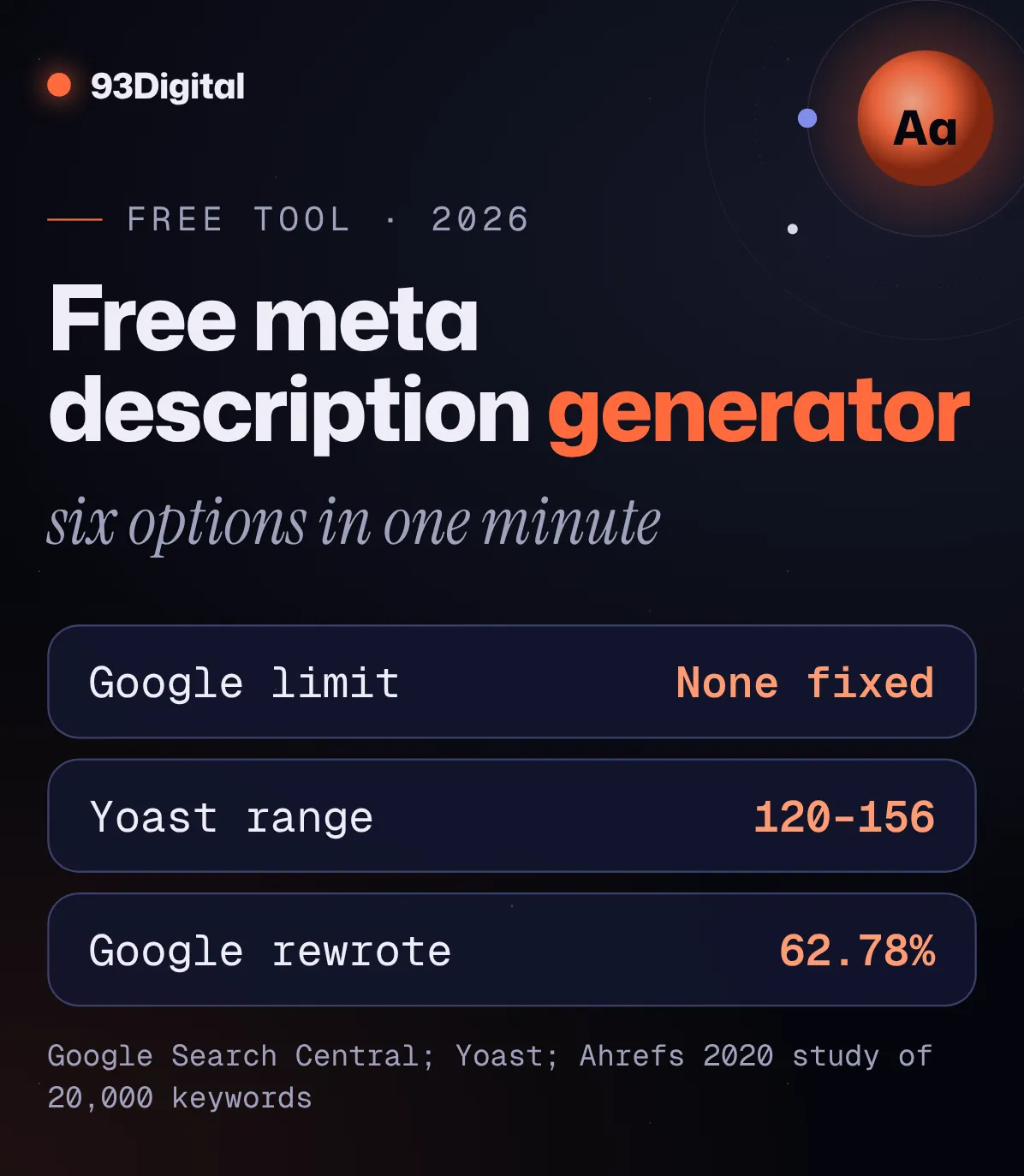
Someone in your city just searched for exactly what you sell. Your page showed up on Google. Right there, in the top five.
They read two lines of grey text under your title. Then they clicked the result below yours.
Those two lines are usually your meta description. And on most small business websites in India, they’re either missing, copied across every page, or stuffed with keywords nobody wants to read.
The fix takes about two minutes per page. Below you’ll find a free meta description generator that writes six options for you, plus 18 examples for Indian businesses you can borrow from.
Quick answer: how do you write a good meta description?
A good meta description is one or two clear sentences that tell searchers what the page offers, why it’s worth clicking and what to do next, written uniquely for each page. Google sets no fixed character limit, but around 120–155 characters usually shows in full on desktop, and phones show less.
- Lead with the topic and main benefit so the important part survives if Google cuts the text
- Add one specific detail: a city, a price, a timing, a fact you can prove
- End with a call to action: Book now, Get a free quote, Shop now
- Write a different one for every page. Google says identical descriptions across a site aren’t helpful
- No keyword lists. Google says they’re less likely to be shown
Google may still show other text from your page instead. A clear description gives it a good option to pick.
Happy with one? Paste it into your SEO plugin, or turn it into a full set of copy-ready tags (title, description, canonical and share image).
Turn it into meta tags with our free generator
Here’s the thing: your meta description doesn’t help you rank. It helps you get clicked once you rank. That’s a different job, and it needs a different kind of writing.
In this guide I’ll walk you through:
- How to use the generator, and how to write one yourself
- The real meta description length (no, it isn’t “160 characters”)
- 18 examples for clinics, CA firms, D2C stores, coaching institutes and more
- Where to add it in Rank Math, Yoast, Shopify and Wix, and how to check it
How to use our free meta description generator (step by step)
To use the generator, type your page’s topic, what it offers and a call to action, and it instantly writes six meta description options from proven templates. Each option shows its character count and a fit indicator, and you can copy any of them in one tap.
One thing to be clear about: this is not an AI writer. It fills your words into tested sentence patterns. That’s a feature, not a bug. It can’t invent claims you never made.
- Enter the page topic or primary keyword. Use the words people search, like “NEET coaching in Kota”.
- Add what the page offers. The main benefit in a few words: “small batches and weekly tests”.
- Add an audience or city (optional). “In Indore”, “for small businesses”. Local pages should almost always name the city.
- Add a proof point (optional). Like “since 2015”. Only use facts you own. No proof point? Leave it blank.
- Pick a call to action. Learn more, Get a free quote, Book now, Shop now, Read the guide or Try it free. Match it to the page.
- Compare the six options. Each shows its character count and a fit indicator. Aim for about 120–155 characters on desktop; pick a shorter one if most visitors use phones.
- Pick one, check the Google-style preview, and copy it. Tweak a word if it reads stiffly.
- Paste it into your site. Use your SEO plugin’s description field (steps below), or our free meta tag generator for copy-ready HTML.
Everything runs in your browser. Nothing you type is sent anywhere. The generator doesn’t read your page or predict what Google will show; for that, see how to check yours below.
What is a meta description?
A meta description is a short summary of a web page, written in an HTML tag in the page’s code. Search engines can show it as the grey snippet text under your page title in search results. Visitors don’t see it on the page itself.
In the code, it looks like this:
<meta name="description" content="Painless root canals, braces and implants in Vijay Nagar, Indore. Book your dental check-up online today.">
You almost never need to type that by hand. WordPress plugins like Rank Math and Yoast, and builders like Shopify and Wix, give you a simple box to fill in.
Does a meta description help you rank?
No. Google’s John Mueller has said the meta description is “primarily used as a snippet in the search results page” and “that’s not something that we would use for ranking.”
So why bother? Because ranking on page one is worth nothing if nobody clicks. A clear description makes people more likely to pick your result.
Your title gets you noticed. Your meta description gets you chosen.
How long should a meta description be?
Google doesn’t set a fixed meta description length. Its own documentation says there’s no limit on how long a meta description can be, and that snippets are truncated as needed to fit the device width. In practice, about 120–155 characters usually shows in full on desktop.
You’ll see “160 characters” quoted everywhere. Here’s what the sources actually say:
| Source | What it says about length |
|---|---|
| Google Search Central | No limit on the tag. The snippet is cut as needed, typically to fit the device width. |
| Yoast SEO | Its length check flags under 120 characters as too short and over 156 as too long; it says text over about 155 characters gets truncated. |
| Shopify Help Center | Recommends a meta description of about 160 characters; longer text is shortened in results. |
| Wix Help Center | Maximum of 156 characters for Wix Stores product and category pages. |
| Ahrefs study (2020) | 40.61% of 192,656 pages had descriptions too long to show in full. |
Checked October 2026. See sources. Google measures the space in pixels, not characters, so treat any character number as a rough guide.
So what does that mean for you?
- Aim for roughly 120–155 characters. That’s long enough to say something useful and short enough to usually show in full on desktop.
- Put the important part first. Phone screens are narrower, so less text fits. If your city, offer or price sits at the very end, mobile users may never see it.
- Don’t obsess over one character. Wide letters like W and M take more space than i and l, so two 150-character descriptions can be cut at different points.
Does Google always show your meta description?
No. Google primarily uses the content on your page to create the snippet, and shows your meta description only when it thinks it describes the page better for that search. Different searches can produce different snippets for the same page.
How often does Google swap it out? A lot.
In an Ahrefs study of 20,000 keywords, Google rewrote the meta description 62.78% of the time. That study is from 2020, so treat the number as a snapshot. Interestingly, overly long descriptions weren’t rewritten much more often than the rest (61.46% vs 63.69%), so length alone didn’t decide it.
“So why write one at all?” Three reasons:
- Your main searches are the ones that matter. A description written for the exact thing people search (say, “dentist in Indore”) has a good chance of being the best summary for that search.
- Google’s alternative might be worse. Without one, it picks text from your page. Sometimes that’s a cookie banner, a menu, or half a sentence.
- It gets reused. The same text often doubles as your share description. Our meta tag generator, for example, copies it into the og:description tag that WhatsApp, Facebook and LinkedIn previews read.
Google also says that if you can’t write one for every page, you should at least cover your most important URLs, like your homepage and popular pages.
How to write a meta description (step by step)
To write a meta description, say what the page offers in plain words, add one specific detail that makes it worth clicking, end with a clear next step, and keep it to roughly 120–155 characters. Then make sure no other page on your site uses the same text.
Here’s the process I’d follow, page by page:
- Start with the search. What would someone type to find this page? “AC repair Chennai.” Put those words near the start, naturally.
- Say what they get. Not “we are a leading company”, but “gas refill, PCB repair and deep cleaning for split and window ACs.”
- Add one detail that makes you the obvious choice. Same-day visits. Sunday slots. Cash on delivery. Google itself suggests details like price, author or date where they fit.
- Add proof only if it’s true. “Since 2015” works because it’s specific. Never invent ratings, awards or numbers.
- End with an action. Book now. Get a free quote. Shop now.
- Read it out loud, then check it. Sounds robotic? Rewrite it. Then confirm it’s roughly 120–155 characters and different from every other page.
What about big sites with thousands of pages?
If you run a D2C store with 2,000 products, you can’t hand-write every description. Google says that’s fine: for large, database-driven sites, generating descriptions programmatically is appropriate, as long as they’re human-readable and varied. Pull in real product data like the name, material, size and price.
Hand-write the pages that matter most: your homepage, top categories and best sellers. If you’d rather hand this off, our content team writes page copy and descriptions that match how your customers search.

Meta description examples for Indian businesses
Good meta description examples share three things: they name the service or product and the place, they give one specific reason to click, and they end with an action. Here are 18 examples across common Indian business types, each between 138 and 153 characters.
Important: these are examples. The businesses, areas and details are made up to show the pattern. Swap in your own facts, and only use claims that are true for you.
| Business and page | Example meta description | Chars |
|---|---|---|
| Dental clinic (homepage) | Painless root canals, braces and implants in Vijay Nagar, Indore. Evening and Sunday slots available. Book your dental check-up online today. | 141 |
| Physiotherapy clinic (service page) | Back pain, sports injuries and post-surgery rehab in Kothrud, Pune. One-to-one sessions with a qualified physiotherapist. Book your first visit. | 144 |
| CA firm (service page) | GST registration, ITR filing and audits for small businesses in Delhi NCR. Clear fees agreed before we start. Get a free quote from our CA team. | 144 |
| D2C skincare (product page) | Vitamin C face serum for dull skin. Fragrance-free, 30 ml, suits oily and combination skin. Free delivery across India on prepaid orders. Shop now. | 147 |
| D2C fashion (category page) | Shop cotton kurtas for women in sizes XS to 3XL. Easy returns and cash on delivery across India. New prints added every week. Find your fit. | 140 |
| Coaching institute (course page) | NEET coaching in Kota with small batches, weekly tests and daily doubt sessions. Batches for Class 11, Class 12 and droppers. Book a free demo class. | 149 |
| Restaurant (homepage) | South Indian breakfast in Jayanagar, Bengaluru: crisp dosas, ghee pongal and filter coffee from 7 am. Dine in, or order ahead on WhatsApp. | 138 |
| Real estate (project page) | 2 and 3 BHK flats in Kondapur, Hyderabad, near HITEC City. See floor plans, prices and RERA details, then book a free site visit with our team. | 143 |
| SaaS (homepage) | GST billing software for small shops. Create invoices, track stock and see daily sales on your phone. Works offline. Try it free, no card needed. | 145 |
| Salon (service page) | Keratin, hair spa and bridal makeup in Sector 17, Chandigarh. Trained stylists, branded products, clear prices. Book your appointment online. | 141 |
| Interior designer (homepage) | Modular kitchens, wardrobes and full home interiors in Mumbai and Thane. 3D designs before work begins. Get a free quote for your 1, 2 or 3 BHK. | 144 |
| Travel agency (package page) | 5-day Kerala tour package: Munnar tea hills, Thekkady and an Alleppey houseboat night. Hotels, cab and sightseeing included. Get a free quote. | 142 |
| Home services (city page) | AC repair and servicing in Chennai: gas refill, PCB repair and deep cleaning for split and window ACs. Same-day visits in most areas. Book now. | 143 |
| Wedding photographer (homepage) | Candid wedding photography and films in Jaipur and across Rajasthan. Pre-wedding shoots, albums and same-week previews. Check your dates now. | 141 |
| Preschool (admissions page) | Play-based preschool in Gomti Nagar, Lucknow for ages 2 to 6. Small classes, CCTV, daily updates for parents. Admissions open. Book a school visit. | 147 |
| Gym (homepage) | Gym in Satellite, Ahmedabad with strength, cardio and group classes. Personal training and diet plans available. Open 6 am to 10 pm. Try a free day pass. | 153 |
| B2B manufacturer (product page) | Cast iron monoblock pumps from Rajkot for farms and industry, 0.5 to 10 HP. Get specs, price lists and dealer details. Send your requirement today. | 147 |
| Blog post (how-to guide) | Learn how to calculate GST from a total amount in 3 easy steps, with the formula, worked examples and a free calculator you can use on your phone. | 146 |
Illustrative examples written for this guide, not real businesses. Character counts include spaces.
Notice the pattern? What + where + one reason + next step. No “best”, no “leading”, no “one-stop solution”.
Run a local business? Your website snippet is only half of how you show up in local searches. The other half is your Google Business Profile. If you haven’t verified yours yet, here’s how Google Business Profile verification works.
Bad vs good meta descriptions: what’s the difference?
A bad meta description is vague, stuffed with keywords, copied across pages or doesn’t match the page. A good one is specific, unique to that page and honest about what the visitor will find. Here’s how common mistakes look side by side with better versions.
| Bad | Why it fails | Better |
|---|---|---|
| dentist indore, best dentist indore, dental clinic indore, root canal indore, braces indore | A keyword list. Google says these are less likely to be shown as the snippet. | Painless root canals, braces and implants in Vijay Nagar, Indore. Evening and Sunday slots available. Book your dental check-up online today. |
| Welcome to Sharma & Associates, a leading firm committed to excellence. (Same text on all 30 pages.) | Says nothing about the page, and identical text on every page isn’t helpful, per Google. | GST registration, ITR filing and audits for small businesses in Delhi NCR. Clear fees agreed before we start. Get a free quote from our CA team. |
| Kurtas | Far too short. No reason to click, no detail. | Shop cotton kurtas for women in sizes XS to 3XL. Easy returns and cash on delivery across India. New prints added every week. Find your fit. |
| Flat 70% off on everything! Hurry, sale ends tonight!!! | A misleading offer if the page has no such sale. Visitors who don’t find it leave, and trust drops. | Write about what the page actually has. If there’s a real sale, name the products and the real end date. |
| We are one of the best coaching institutes with experienced faculty and great results, and students from all over come to us for NEET in Kota. | Generic claims up front; the keyword and the useful detail come last and may get cut on mobile. | NEET coaching in Kota with small batches, weekly tests and daily doubt sessions. Batches for Class 11, Class 12 and droppers. Book a free demo class. |
Meta description mistakes to avoid
- Leaving it blank on key pages. Google will pick text from the page, and it may not be the text you’d choose.
- Copying one description across the site. Yoast goes as far as saying you’d be better off leaving descriptions blank than duplicating them.
- Keyword stuffing. Use your main keyword once, naturally. Repeating it won’t help: the description isn’t a ranking factor.
- Promises the page doesn’t keep, or fake proof. “Free consultation” or “Rated #1” that the page can’t back up gets you a click and a bounce.
How do you add a meta description in WordPress, Shopify and Wix?
In WordPress, you add a meta description through an SEO plugin like Rank Math or Yoast, in the description field of each post or page. Shopify and Wix have a built-in description field in each page’s SEO settings. Exact steps, as of October 2026:
WordPress with Rank Math
- Open the post or page in the block editor and click the Rank Math icon at the top right.
- In the General tab, click Edit Snippet.
- Paste your text into the Description box, then update the page.
Using the Classic Editor? Scroll down to the Rank Math SEO box below the editor, open the General tab and fill in the Description section.
WordPress with Yoast SEO
- Open the post or page and click Search appearance in the Yoast SEO sidebar. (Or scroll to the Yoast meta box below the editor and open the SEO tab.)
- Type or paste into the Meta description field. The Google preview updates as you type.
- Watch the length bar. Yoast turns it green between about 120 and 156 characters.
Shopify
- Product: Products → open the product → in the Search engine listing section, click the pencil icon → fill in Meta description → Save.
- Page: Online Store → Pages → open the page → in Search engine listing preview, click Edit website SEO → fill in Description → Save.
- Homepage: Online Store → Preferences → Social sharing image and SEO → add your title and meta description → Save.
Wix
- Wix Editor: Pages & Menu → click the More Actions icon next to the page → SEO basics → edit Meta description (description in search results).
- Wix Studio: Pages → More Actions → SEO Basics → same field.
A custom-coded site
Your developer needs to add one <meta name="description"> tag inside the <head> of each page. Our free meta tag generator writes it for you, along with the title, canonical and share-image tags, so they can paste it straight in.
How do you check your meta description?
You can check your meta description three ways: search Google with the site: operator to see your live snippet, paste it into a SERP preview tool to see if it fits on mobile and desktop, and use Google Search Console to find pages that get seen but not clicked.
1. Search for your own page (the quick look)
Type site:yourwebsite.com/your-page/ into Google to see the snippet it’s showing for that page.
One catch: snippets change with the search. So also search the real phrase your customers type, like “dentist in Indore”, and find your result. Just changed the description? Google has to recrawl the page before the new one can show.
2. Preview it before you publish
Paste your title, description and URL into our SERP snippet preview tool and switch between Mobile and Desktop to see where it gets cut. Got a whole site? Choose Bulk (100) and paste up to 100 URLs to flag descriptions that are missing, too short or likely to be cut off.
3. Use Search Console to find descriptions that aren’t working
This is where the quick wins hide:
- Open Google Search Console and go to the Performance report (Search results).
- Click the CTR box above the chart. CTR (click-through rate) is clicks divided by impressions: out of everyone who saw your page in Google, how many clicked.
- Open the Pages tab under the chart and sort by CTR, lowest first.
- Look for pages with lots of impressions but a low CTR. Google’s own help notes that a low CTR can mean people see your page but don’t think it answers their search.
- Rewrite the title and description for those pages so they match what people are searching. Then compare the next few weeks to the previous period.
Don’t panic about one low number. A page at position 9 will naturally get fewer clicks than one at position 2, so compare pages at similar positions.
Want someone to run this for your whole site and fix what’s broken? That’s a normal part of our SEO services. If you’re comparing quotes, our guide to SEO cost in India shows what a fair price looks like.
Meta description generator: frequently asked questions
Is this meta description generator free?
Yes. It’s free, needs no sign-up, and runs entirely in your browser, so nothing you type is sent to a server. It builds six options from proven templates using the details you enter. It’s not an AI tool, so it won’t invent facts about your business.
What is the meta description character limit?
Google doesn’t set a fixed character limit. Its documentation says there’s no limit on the tag’s length and that snippets are cut to fit the device width. Around 120–155 characters usually shows in full on desktop, and phones show less, so put the key message first.
Why does Google show a different description from mine?
Google primarily builds snippets from your page content and uses your meta description only when it describes the page better for that particular search. An Ahrefs study from 2020 found Google rewrote descriptions 62.78% of the time. Writing a clear, specific description for each page gives Google a good option to choose.
Is the meta description a ranking factor?
No. Google’s John Mueller has said the meta description is mainly used as the snippet in search results and isn’t used for ranking. It still matters, because a good snippet can get more people to click a result that’s already ranking.
Should every page have a unique meta description?
Yes. Google says identical or similar descriptions on every page aren’t helpful. If you can’t write one for every page, start with your homepage and most popular pages. For very large stores, Google says generating descriptions from page data is fine if they read naturally and vary.
How do I write a meta description for a product page?
Lead with the product name and what it does, add specifics like size, material, price or delivery terms, and end with “Shop now” or similar. Google suggests including key facts like price and manufacturer for product pages. Keep it unique to that product.
Where do I add a meta description in WordPress?
Use an SEO plugin. In Rank Math, click the Rank Math icon, then Edit Snippet in the General tab, and fill in Description. In Yoast, open Search appearance in the Yoast sidebar and fill in the Meta description field.
Sources and how we researched this
We researched this guide in October 2026. We read Google’s own documentation on snippets, title links, the site: operator and the Search Console Performance report; checked where to add descriptions in Rank Math, Yoast, Shopify and Wix on their official pages; and used Ahrefs’ published study for data on how often Google rewrites descriptions. The example meta descriptions are illustrative and written for this guide.
- Google Search Central: Control your snippets in search results (how snippets are made, no length limit, unique descriptions, keyword lists, programmatic descriptions)
- Google Search Central: Influencing your title links in search results (truncation to device width, avoiding keyword stuffing and boilerplate)
- Google Search Central: site: search operator (how site: works and its limits)
- Search Console Help: Performance report overview (clicks, impressions, CTR and the Pages tab)
- Search Console Help: Performance report common tasks (finding low-CTR pages)
- Search Engine Journal: Google answers if meta description matters for rankings (John Mueller’s comments)
- Ahrefs: How often does Google rewrite meta descriptions? (2020 study of 20,000 keywords)
- Rank Math: How to enter SEO meta title, description and focus keyword (where to add the description)
- Yoast: How to create a good meta description (where to add it, length check, tips)
- Shopify Help Center: Adding and updating products (product search engine listing)
- Shopify Help Center: Adding keywords for SEO (page and homepage descriptions, length guidance)
- Wix Help Center: Customizing your page’s SEO settings (SEO basics panel, product page limit)
Spotted something that’s changed in Google, Rank Math, Yoast, Shopify or Wix? Tell us and we’ll update it.
The bottom line
Your meta description won’t move your rankings. But it’s often the only thing standing between “they saw you” and “they clicked you”.
Keep it simple: what the page offers, where, one real reason to choose you, and a next step. Make it different on every page. Put the important words first.
Use the generator above to get six options in under a minute, then turn your favourite into copy-ready meta tags with our free meta tag generator.
Then check Search Console in a few weeks. The pages with lots of impressions and few clicks are your quickest wins.
Want us to look at your titles, descriptions and the rest of your SEO for you? Get a free growth audit and we’ll show you which pages are leaving clicks on the table.
Founder of 93Digital. Rohit has worked in SEO and digital marketing since 2007, through every major Google update, and runs paid ads with one rule: a campaign has to pay for itself.