October 22, 2026
WhatsApp Business API Cost in India: Verified Per-Message Rates, Hidden Fees and Real Examples (October 2026)
 By Rohit GuptaUpdated 16 min read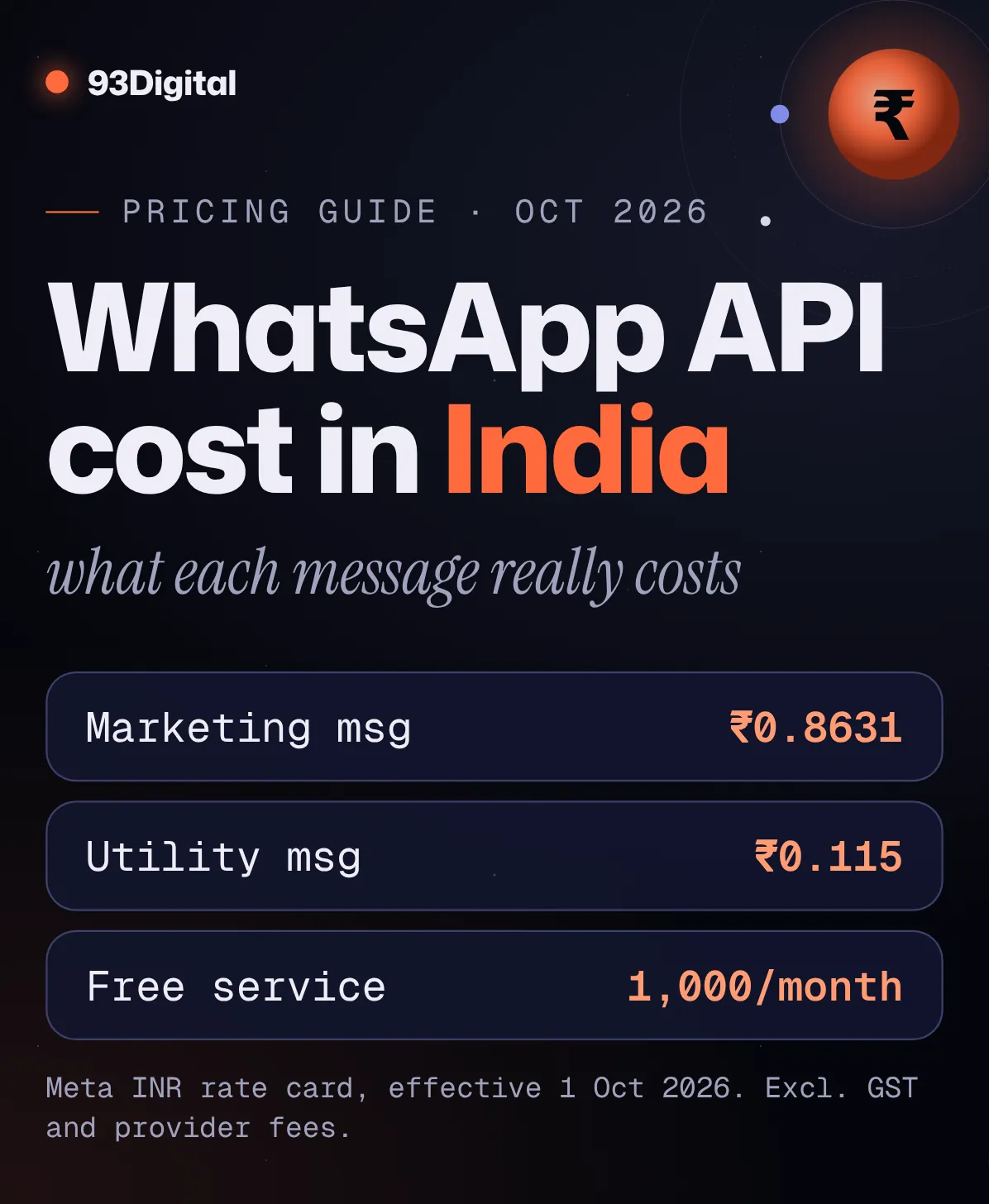
You’ve seen the WhatsApp Business API pitch. “Send offers to 10,000 customers in one click!” Then someone says “it’s 86 paise a message” and someone else says “it’s free.”
Both are half right. That’s the problem.
WhatsApp Business API cost in India depends on what kind of message you send, when you send it, and who sits between you and Meta. And on 1 October 2026, Meta changed the rules again: two kinds of messages that were free are now charged.
So before you sign up with any provider, let’s work out what you’ll actually pay. With real rates, from Meta’s own rate card.
Quick answer: how much does the WhatsApp Business API cost in India?
Meta charges per delivered message in India: ₹0.8631 for a marketing message and ₹0.115 for a utility, authentication or service message, with the first 1,000 service messages free each month per business phone number. These rates are from Meta’s INR rate card, effective 1 October 2026.
- Marketing (offers, launches, cart reminders): ₹0.8631/message
- Utility (order updates, payment reminders): ₹0.115/message
- Authentication (OTPs): ₹0.115/message
- Service (replies to customers): first 1,000/month free per number, then ₹0.115
- Free entry point (chats started from click-to-WhatsApp ads): free while the window is open
On top of Meta’s fees, most businesses pay a provider (BSP) platform fee. Meta adds 18% GST on invoices it issues from Facebook India.
Here’s the thing: the API itself isn’t what you pay for. You pay for each message, and the category of that message decides the price. A marketing message costs about 7.5 times more than an order update. Get the category right and your bill can shrink a lot.
In this guide I’ll walk you through:
- What the WhatsApp Business API is, and how it differs from the free WhatsApp Business app
- Every cost layer: Meta’s message fees, provider fees, setup and GST
- India’s verified per-message rates, plus what changed on 1 October 2026
- Worked examples with the maths shown, and a calculator for your own numbers
- How to send 10,000 messages, pick a provider and keep your bill down
What is the WhatsApp Business API?
The WhatsApp Business API, which Meta now calls the WhatsApp Business Platform, gives businesses programmatic access to WhatsApp so they can message customers at scale, automate replies and connect WhatsApp to their CRM, store or booking system.
Meta describes it as built for “medium and large businesses.” There’s no app to download. You (or a provider) connect your phone number to Meta’s APIs and send messages through software.
That’s what makes these possible:
- A D2C brand sending automatic order and shipping updates from Shopify
- A coaching centre sending fee reminders to 3,000 parents
- A fintech app sending OTPs for login
- A chatbot answering “what are your timings?” at 2 am
You can’t do any of that reliably from a phone.
WhatsApp Business app vs WhatsApp Business Platform (API): what’s the difference?
The WhatsApp Business app is a free app for small businesses chatting from one device, while the WhatsApp Business Platform (API) is for businesses that need to message at scale and connect other systems, and it charges per delivered message.
| WhatsApp Business app | WhatsApp Business Platform (API) | |
|---|---|---|
| Who Meta builds it for | Small businesses, from a single device | Medium and large businesses, at scale |
| Cost | Free to download and use | Per delivered message (Meta), plus any provider fees |
| How you use it | An app on your phone | Through APIs, directly or via a Business Solution Provider |
| Starting a chat with a customer | Manual messages | Pre-approved message templates |
| Integrations and automation | Limited | CRM, e-commerce, chatbots, marketing automation |
| Messaging at scale | Not built for it (one device, typed by you) | Messaging limits that grow with quality, up to unlimited |
Based on Meta’s WhatsApp for Business FAQ and developer documentation, checked October 2026.
So which one do you need?
If you’re a single salon replying to 30 chats a day, the free app is fine. If you need reminders, order updates, OTPs or campaigns going out without someone typing them, you need the API.
Is the WhatsApp Business API free?
The WhatsApp Business API isn’t fully free: Meta charges no fee to access the platform directly, but it charges per delivered message, except for chats started from click-to-WhatsApp ads and the first 1,000 service replies each month per number.
So “free” applies to access and to some messages. Most outbound templates are charged.
And if you use a provider instead of connecting directly? Meta’s FAQ notes that partners may charge their own fees for their services. That’s the second layer of your bill.
What do you actually pay for? Meta fees vs BSP fees vs setup
Your total WhatsApp Business API cost has three layers: Meta’s per-message fees (fixed by Meta’s rate card), your Business Solution Provider’s platform fee (set by them), and any one-time setup or build work. GST applies on top.
| Cost layer | Who sets it | How it’s charged |
|---|---|---|
| Meta message fees | Meta (published rate card) | Per delivered message, by category and recipient country |
| BSP platform fee | Your provider | Monthly plan, per-message markup, or both |
| Setup and build | Your provider or agency | One-time: onboarding, templates, chatbot flows, integrations |
| GST | Indian tax law | 18% on Meta’s invoices from Facebook India; check your BSP’s invoice |
Meta’s fees are the same whoever you use. Provider fees are where quotes differ.
For a rough sense of the market, one Indian BSP’s 2026 guide puts flat platform plans at about ₹999 to ₹9,999 a month, or per-message markups of about ₹0.10–₹0.30. Another provider’s guide describes markups of 10–30%. These are vendor figures, not Meta’s.
Here’s what that means for you: always ask a provider to show Meta’s rate and their own fee as separate lines. If they can’t, you can’t compare them.
WhatsApp Business API pricing in India: rates by message category
In India, Meta charges ₹0.8631 per delivered marketing message and ₹0.115 per delivered utility, authentication or service message, per its INR rate card effective 1 October 2026. Service messages are free up to 1,000 a month per business phone number.

| Category | What it’s for (examples) | India rate (INR) |
|---|---|---|
| Marketing | Diwali offer, new collection launch, abandoned-cart reminder, subscription renewal nudge | ₹0.8631 per message |
| Utility | Order confirmed, shipped, refund processed, payment due reminder, appointment update | ₹0.115 per message |
| Authentication | One-time passcodes (OTPs) for login, sign-up or account recovery | ₹0.115 per message |
| Authentication-international | OTPs to Indian numbers from businesses eligible for international rates (generally those based outside India) | ₹2.4971 per message |
| Service | Free-form replies inside the 24-hour customer service window | First 1,000/month free per number, then ₹0.115 |
| Free entry point window | Any marketing, utility, authentication or service message in a chat started from a click-to-WhatsApp ad | Free while the window is open |
Source: Meta’s INR list rates for India, effective 1 October 2026 (WhatsApp Business account timezone), linked from Meta’s WhatsApp pricing documentation. Rates exclude GST and provider fees. Meta can change rates on the first day of any quarter.
How the categories work
Marketing, utility and authentication are templates: pre-approved messages you can send any time. Service messages are free-form replies you can only send within 24 hours of a customer’s last message.
Meta’s rules for utility are strict. A utility template must be non-promotional and specific to the user (their order, account or transaction) or critical to them. Add a “10% off your next order” line to an order update, and Meta treats the whole template as marketing. Even abandoned-cart reminders count as marketing.
What changed on 1 October 2026
If you read pricing guides from earlier in 2026, two things are now out of date. As of 1 October 2026, Meta resumed charging for:
- Service messages, free since November 2024. Now each business phone number gets 1,000 free per month (no roll-over), and Meta charges from the 1,001st.
- Utility templates sent inside an open customer service window, free since July 2025. These are now charged at the utility rate.
No payment method on file? Meta says it will stop delivering your service messages once the free 1,000 are used.
One catch: Meta’s WhatsApp Business pricing web page still says utility replies are free. Its developer docs (updated 30 September 2026) say otherwise, and we’ve followed those.
Volume tiers: cheaper utility and OTPs at very high volume
Utility and authentication get cheaper at high monthly volume. Marketing doesn’t. India’s ladder:
| Discount | Utility: messages/month | Authentication: messages/month | Rate |
|---|---|---|---|
| List rate | Up to 2.5 crore | Up to 7.5 lakh | ₹0.115 |
| 6% off | 2.5 – 5 crore | 7.5 lakh – 1.5 crore | ₹0.1081 |
| 12% off | 5 – 10 crore | 1.5 – 2 crore | ₹0.1012 |
| 18% off | 10 – 20 crore | 2 – 5 crore | ₹0.0943 |
| 24% off | 20 – 30 crore | 5 – 10 crore | ₹0.0874 |
| 30% off | Above 30 crore | Above 10 crore | ₹0.0805 |
Meta INR volume tiers for India, effective 1 October 2026. Only the messages within each band get that band’s rate. Tiers count charged messages across your whole business portfolio and reset monthly.
Most small and mid-size businesses will pay the list rate. Discounts only start above 2.5 crore utility messages or 7.5 lakh OTPs a month.
How much will WhatsApp API cost you? Worked examples with the maths
To estimate your monthly cost, multiply each category’s message count by its rate, add your provider’s fee, then add 18% GST; for example, 10,000 marketing messages in India cost ₹8,631 in Meta fees before GST.
Here are four examples at Meta’s 1 October 2026 India rates.
Example 1: 10,000 marketing messages (a festive sale)
Say your D2C skincare brand sends a Diwali offer to 10,000 opted-in customers, and all are delivered.
10,000 × ₹0.8631 = ₹8,631 in Meta fees. With 18% GST (₹1,553.58), that’s ₹10,184.58.
Under one rupee per customer reached. Whether it pays off depends on how many buy.
Example 2: 5,000 order updates
Same brand, 5,000 “your order has shipped” messages in a month, sent as utility templates.
5,000 × ₹0.115 = ₹575. With GST (₹103.50), ₹678.50.
Now see what happens if that template sneaks in a discount code and Meta reclassifies it as marketing: 5,000 × ₹0.8631 = ₹4,315.50. Same messages, 7.5 times the cost.
Example 3: a clinic in Indore
Say a clinic sends 1,500 appointment reminders (utility) and its staff send 800 replies to patient questions (service) in a month.
- Reminders: 1,500 × ₹0.115 = ₹172.50
- Replies: 800 service messages, within the free 1,000 = ₹0
Total Meta fees: ₹172.50 a month. Even a ₹999 provider plan would cost more than the messages.
Example 4: a full month for a growing brand
| Item | Volume | Calculation | Cost |
|---|---|---|---|
| Marketing | 10,000 | 10,000 × ₹0.8631 | ₹8,631.00 |
| Utility | 5,000 | 5,000 × ₹0.115 | ₹575.00 |
| Authentication (OTPs) | 2,000 | 2,000 × ₹0.115 | ₹230.00 |
| Service (one number) | 3,000 | (3,000 − 1,000 free) × ₹0.115 | ₹230.00 |
| BSP plan (example) | – | Say ₹2,999/month | ₹2,999.00 |
| Total before GST | 20,000 | ₹12,665.00 | |
| GST at 18% | ₹12,665 × 0.18 | ₹2,279.70 | |
| Total with GST | ₹14,944.70 |
The ₹2,999 BSP fee is a hypothetical example, not a quote. Meta rates from its India INR rate card effective 1 October 2026.
That works out to about ₹0.63 per message before GST. Notice where the money goes: marketing is half the messages but about 68% of the bill.
WhatsApp API cost calculator
This calculator estimates your monthly WhatsApp Business API cost in India: enter your expected messages per category and your provider’s monthly fee, and it shows Meta’s fee, your total and your cost per message at 1 October 2026 rates.
Service replies aren’t in the calculator. Add ₹0.115 for each one above 1,000 per number per month. If your provider charges a per-message markup instead of a flat fee, multiply it by your total messages and enter that as the monthly fee.
Is GST charged on WhatsApp Business API messages?
Yes: Meta’s billing localisation page says WhatsApp messaging billed by Facebook India is subject to 18% GST, charged as IGST for most customers or as CGST plus SGST at 9% each if your billing location is in Haryana.
- Since January 2026, eligible Indian customers on monthly invoicing get invoices in INR from Facebook India Online Services Pvt. Ltd.
- Meta says eligible businesses must move all their WhatsApp Business accounts to INR by 31 December 2026. From 1 January 2027, Meta will stop delivering messages from their non-INR accounts.
- If you pay through a BSP, they bill you instead. Check how GST appears on their invoice for both Meta’s charges and their own fee.
If you’re GST-registered, you can usually claim this as input tax credit. Confirm with your CA, since we’re not tax advisors.
How can I send 10,000 messages on WhatsApp?
To send template messages to 10,000 people in a day, your business portfolio needs a messaging limit of at least 10,000, which you reach by scaling up from 250 through business verification and consistently high-quality sending.
Messaging limits count unique WhatsApp users you message outside a customer service window, and they’re shared across all phone numbers in your business portfolio. Replies within a customer’s 24-hour window don’t count.
Here’s the path, per Meta’s messaging limits documentation:
- Start at 250. Every new business portfolio begins with a limit of 250 unique users per moving 24-hour period.
- Unlock 2,000. Verify your business with Meta (or have your partner do it), or send 2,000 delivered template messages to unique users within 30 days using high-quality templates.
- Scale automatically. From 2,000, the limit steps up to 10,000, then 100,000, then unlimited. Meta checks that your messages are high quality and that you’ve used at least half your current limit in the last 7 days.
- Wait a few hours. When you qualify, Meta raises the limit by one level within 6 hours.
So if you need 10,000 today and you’re at 2,000? Split the campaign over several days, use at least half your limit regularly, and keep quality high. You can see your current limit in WhatsApp Manager under Account tools > Messaging limits.
Your messaging limit grows with your quality. Spam your list and you’ll stay small.
How to choose a WhatsApp Business API provider (BSP)
Pick a BSP by comparing its fees separately from Meta’s, checking what’s included (inbox, chatbot, integrations, support) and confirming you own your number and data. Meta’s message rates are the same through every provider.
You can also connect to the Cloud API directly, with no access fee, but you’ll need a developer to call the APIs and handle webhooks. Most small and mid-size businesses go through a provider.
Ask every BSP these questions before you sign:
- Do you pass Meta’s fees at cost, or add a markup per message? Show me both as separate lines.
- What’s your monthly fee, and what’s the minimum term?
- Is there a setup fee? What does it cover (templates, chatbot, integrations)?
- Does the plan include a team inbox, and does it integrate with my store, CRM or booking tool?
- Will I be billed in INR with a GST invoice?
- If I leave, can I take my phone number, templates and contacts with me?
Want someone to handle the templates, flows and integrations end to end? That’s what our WhatsApp automation service covers.
How to keep your WhatsApp API costs down
To cut WhatsApp API costs, start chats from click-to-WhatsApp ads (free entry point windows), reply with service messages within the free monthly tier, classify templates correctly, and only message people who opted in.
The cheapest message is one Meta doesn’t charge for.
- Start chats from click-to-WhatsApp ads. Reply within 24 hours to someone who messaged you from a click-to-WhatsApp ad (Android or iOS), and Meta opens a free entry point window of up to 7 days where every message except Meta Business Agent AI replies is free. Our performance ads team runs these campaigns; here’s how Meta ads work.
- Reply with service messages, not templates. Inside the 24-hour window, a free-form reply is a service message, and the first 1,000 a month per number are free. A utility template in the same window is now charged.
- Keep utility messages pure. No offers, no “you may also like,” no promo codes in order updates. One promotional line turns a ₹0.115 message into a ₹0.8631 one.
- Don’t game the categories. Meta says businesses that keep labelling marketing as utility face escalating penalties: warnings, utility rate limits, and all utility templates being switched to marketing for 7 to 30 days.
- Clean your list. Remove numbers that have opted out or never opted in. Messaging people who don’t want to hear from you invites blocks and reports.
- Watch your quality. Meta’s messaging policy says people can block or report businesses, and Meta’s systems will limit how much a business can send. Low quality also slows your limit increases.
Do you need opt-in for WhatsApp Business API messages?
Yes: WhatsApp’s Business Messaging Policy says you may only contact people who have given you their phone number and opted in to receive messages from you, and you must honour every request to opt out or block.
How you collect that opt-in is up to you, and you’re responsible for it.
Common mistakes that get businesses into trouble:
- Buying or importing a contact list. No opt-in, no messaging. It also invites blocks and reports.
- Treating a phone number on an invoice as permission. Get a clear opt-in on your website, checkout, form or in chat.
- No way to opt out. WhatsApp’s policy recommends clear instructions for opting out of specific message types.
- Disguising promotions as utility. It gets reclassified, and repeat misuse brings restrictions.
Collecting feedback? A survey about a specific visit or order can qualify as utility, and it pairs well with a Google reviews QR code at your counter.
WhatsApp Business API cost: frequently asked questions
Is Meta WhatsApp Business API free?
Access is free if you connect directly; Meta says there’s no additional access fee. You pay per delivered message instead: in India, ₹0.8631 for marketing and ₹0.115 for utility, authentication and service (after 1,000 free service messages a month per number), as of 1 October 2026. Providers usually add their own fee.
Can I use WhatsApp Business API for free?
Partly. Messages in a free entry point window (chats started from click-to-WhatsApp ads) are free, and each business phone number gets 1,000 free service messages a month. Customers messaging you never costs you anything. Marketing, utility and authentication templates outside those windows are charged.
How can I send 10,000 messages on WhatsApp?
Use the WhatsApp Business Platform with a messaging limit of at least 10,000. New portfolios start at 250 unique users per 24 hours, move to 2,000 after business verification or 2,000 quality sends, then scale automatically to 10,000, 100,000 and unlimited if quality is high and you use at least half your limit.
Is there a WhatsApp API available in India?
Yes. India is a named market on Meta’s rate card with its own INR rates, and since January 2026 eligible Indian businesses are invoiced in INR by Facebook India. You can connect directly through Meta’s Cloud API or through a Business Solution Provider.
How much does one WhatsApp marketing message cost in India?
₹0.8631 per delivered message, according to Meta’s INR rate card effective 1 October 2026. That’s before GST and before any markup your provider adds. Marketing rates aren’t discounted by volume tiers.
Are WhatsApp service messages still free?
Only the first 1,000 per business phone number each month. From 1 October 2026, Meta charges for service messages after that, at ₹0.115 each in India. Unused free messages don’t roll over. Eligible government and non-profit organisations keep free service messages beyond the free tier.
Is GST charged on WhatsApp Business API in India?
Yes. Meta says WhatsApp messaging billed by Facebook India attracts 18% GST (IGST, or CGST plus SGST for Haryana billing addresses). If you pay through a provider, check their invoice. GST-registered businesses can usually claim input tax credit; confirm with your CA.
Do I need a BSP to use the WhatsApp Business API?
No. You can connect directly to Meta’s platform with no access fee, but you’ll need developer skills to work with the APIs and webhooks. A BSP handles setup and usually gives you an inbox, chatbot builder and integrations, for a monthly fee or markup.
Sources and how we researched this
We researched this guide in October 2026. India rates come from Meta’s INR list-rate and volume-tier sheets (effective 1 October 2026), linked from its WhatsApp pricing documentation; we also read Meta’s messaging limits, template and India billing pages. Where Meta’s pages disagreed, we followed the most recently updated developer docs. Provider fee ranges are vendor-published and labelled as such.
- Meta for Developers: Pricing on the WhatsApp Business Platform (per-message model, categories, 1 October 2026 changes, free tiers, volume tiers, pricing calendar; links to the INR rate card and volume-tier sheets)
- Meta for Developers: Messaging limits (250 to unlimited, scaling paths)
- Meta for Developers: Template categorization (marketing vs utility vs authentication rules, misuse penalties)
- Meta Business Help Centre: Billing localisation in India for WhatsApp Business Messaging (INR invoicing, 18% GST, migration deadline)
- WhatsApp Business Messaging Policy (opt-in, opt-out, blocks and reports)
- WhatsApp for Business: FAQ (app vs platform, no access fee, partner fees)
- WhatsApp for Business: Platform pricing (interactive rates; some text not yet updated for 1 October 2026)
- WhatsApp for Business: Business Platform (direct vs partner onboarding)
- MyOperator: WhatsApp Business API pricing in India 2026 (vendor-published BSP plan and markup ranges)
- PayPerWA: WhatsApp Business API pricing in India (vendor-published markup range)
Spotted a rate that’s changed? Meta can update prices on the first day of any quarter. Tell us and we’ll update this guide.
The bottom line
The WhatsApp Business API isn’t free, but it’s cheap per message. In India, an order update costs ₹0.115 and a marketing message ₹0.8631, as of 1 October 2026.
What makes the bill big isn’t the API. It’s sending marketing when utility would do, using templates where a free service reply would work, and messaging people who never asked to hear from you.
Get the categories right, start conversations from click-to-WhatsApp ads, and compare providers on their fee alone, since Meta’s is the same everywhere.
Want help setting up templates, automations and campaigns that keep your cost per message low? See our email and WhatsApp automation work, or get a free growth audit and we’ll tell you what your WhatsApp setup should cost.
Founder of 93Digital. Rohit has worked in SEO and digital marketing since 2007, through every major Google update, and runs paid ads with one rule: a campaign has to pay for itself.